
Tutorials › 8
Round a square bar: a barley-twist leg
The Rounding toolpath turns a square bar round, or a round blank down to a smaller diameter, on the rotary axis. This tutorial rounds a 2 inch maple bar to 1¾ inches, then cuts a three-start barley twist around it.
Not verified on a machine yet. Rounding hasn't been cut on a machine. It turns the blank while it cuts, fed in inverse time (G93), and Mach4's G93 and which way Avid's rotary turns haven't been tested either. Run the G93 test and check Reversed first, air-cut, and for your first real rounding use softwood, a shallow layer depth and a lowered feed override.
-
Set up the square bar
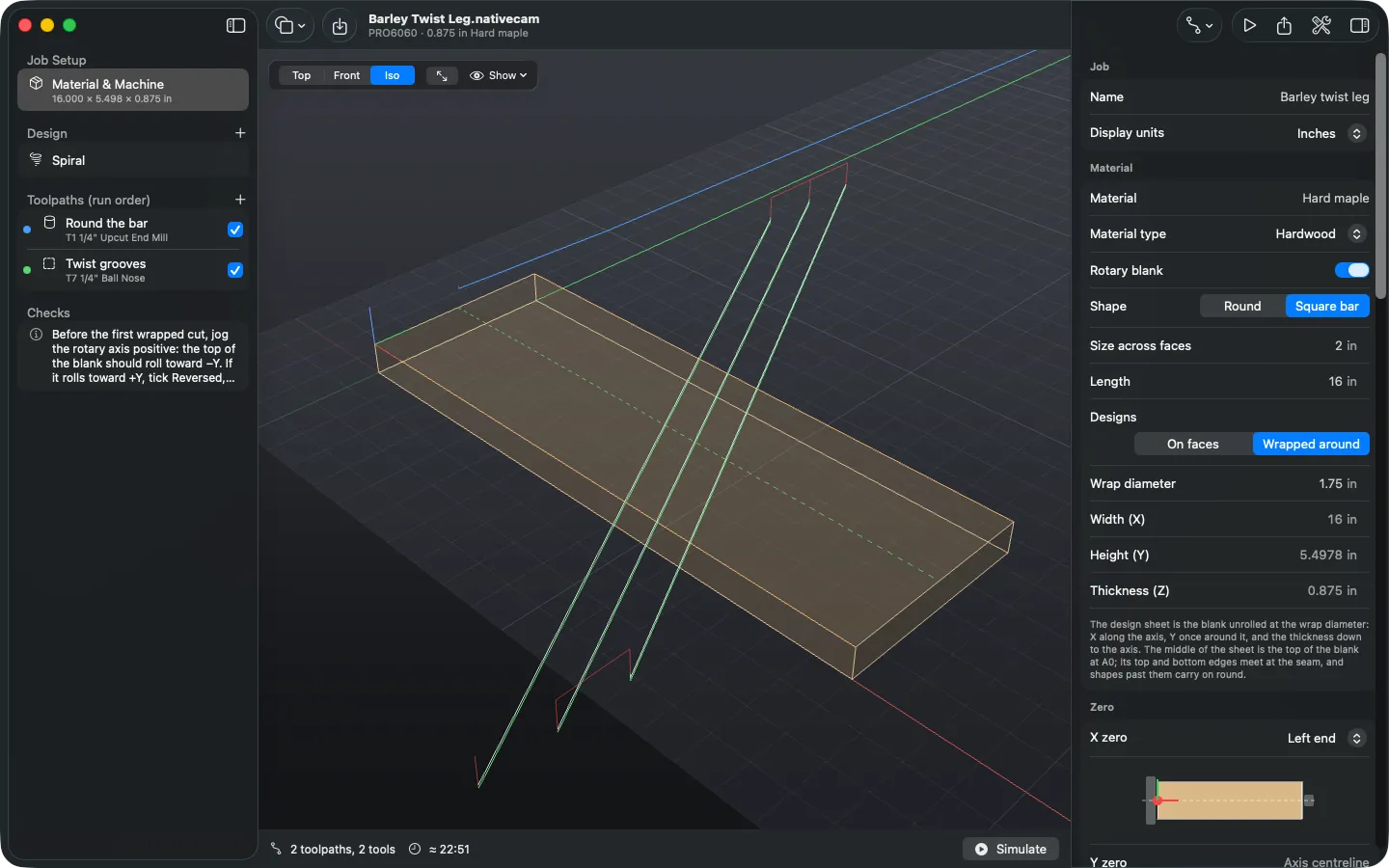
Turn on Material ▸ Rotary blank, choose Square bar, and enter the size across the faces and the length: here 2 inches by 16 inches. A twist wraps around the blank, so choose Designs: Wrapped around and set the Wrap diameter to the finished size, 1¾ inches. A square bar can only be wrapped once it's rounded, so the job needs a Rounding toolpath first.
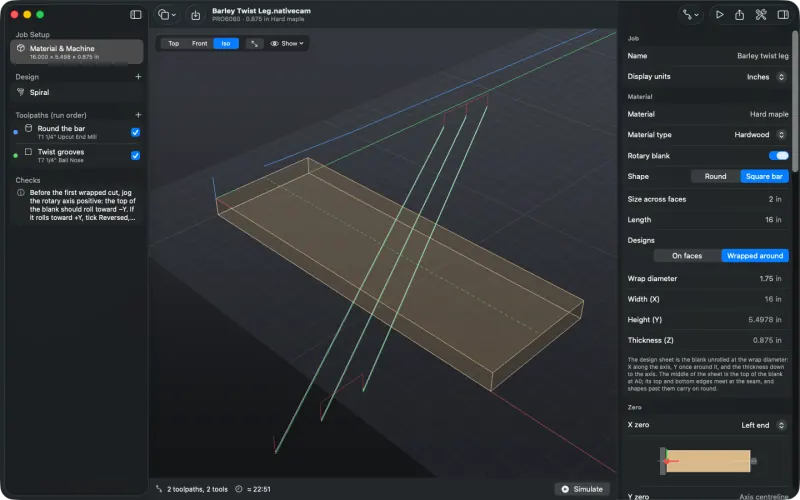
The sheet is the finished leg unrolled: 16 inches long and π × 1¾ inches high. Safe Z rises on its own to clear the bar's corners as it turns.
-
Add the Rounding toolpath
Choose Add Toolpath ▸ Rounding. It needs no shapes, and it always runs first (Optimize Run Order puts it there).
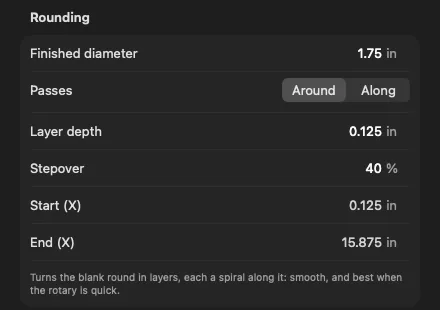
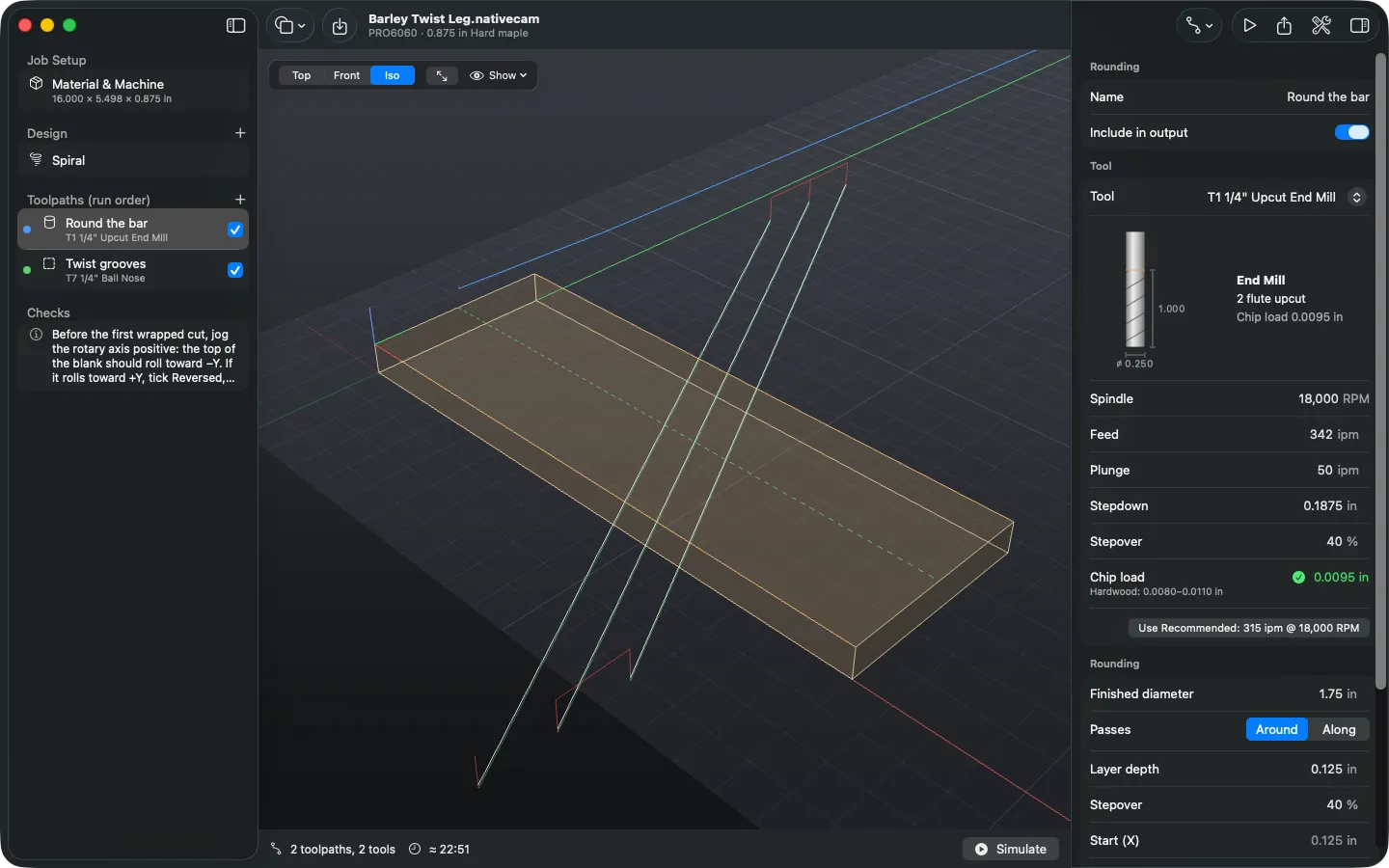
The Rounding toolpath's settings. - Finished diameter is the wrap diameter on a wrapped job, and the blank's own size (across the faces) on a job on faces.
- Layer depth is the most it takes off in one layer, measured in from the surface.
- Around cuts each layer as a spiral along the blank. Along makes passes parallel to the axis, stepping round between them, which is often quicker on a slow rotary and skips the faces of a square bar until the layers reach them.
- Start and End set how much of the blank it rounds. By default the cutter stays just inside the ends, clear of the chuck and tailstock.
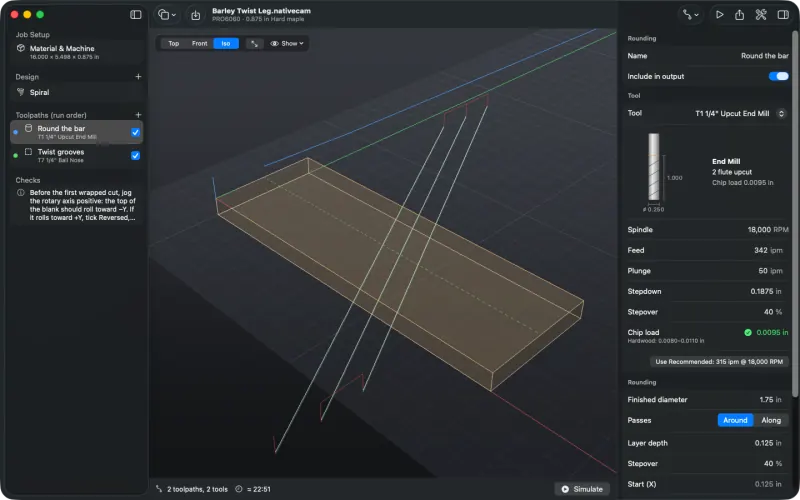
Rounding with a ¼ inch end mill at a feed inside the chip-load range for maple. -
Add the twist
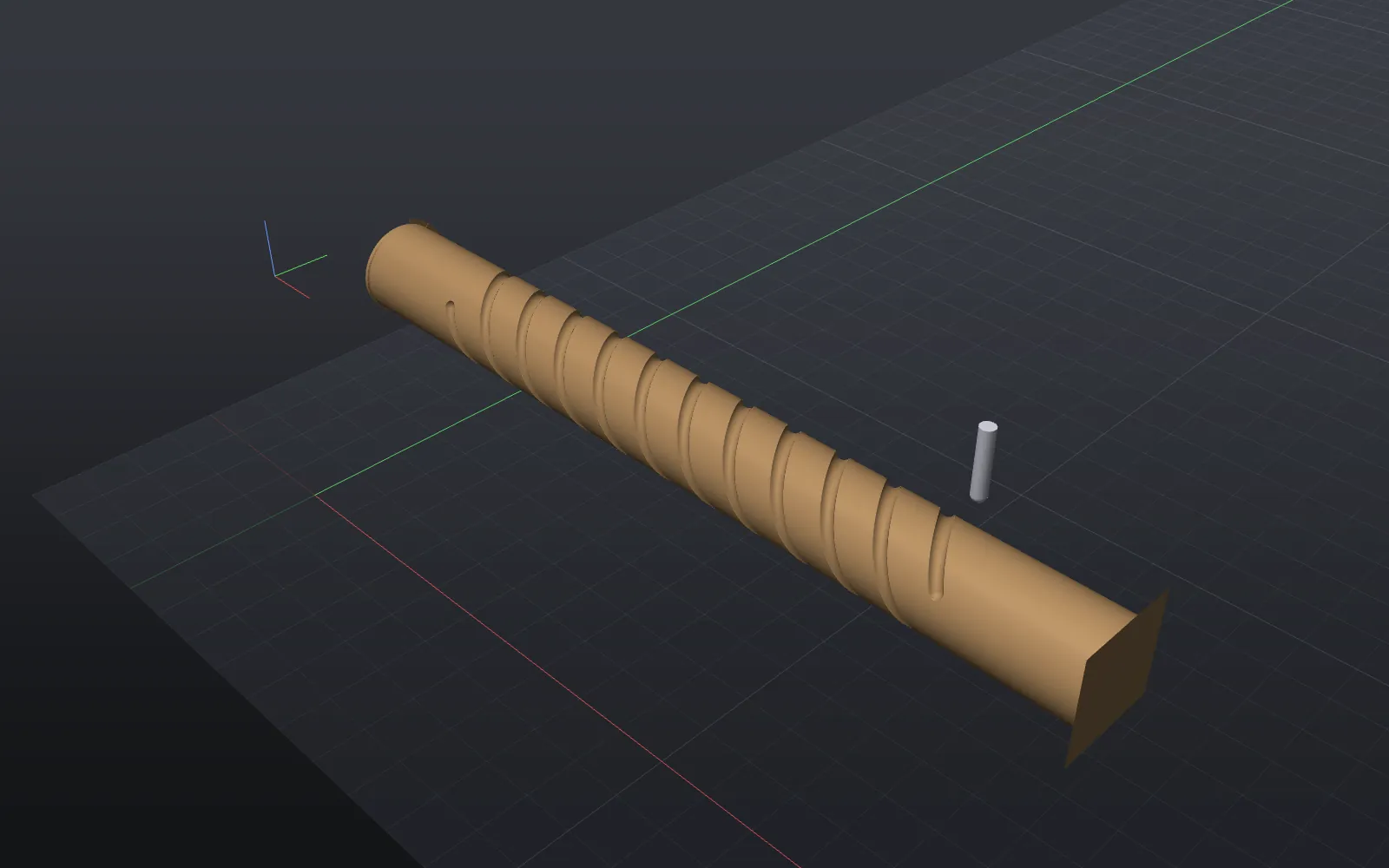
Choose Add Shape ▸ Spiral with three Starts, a 3 inch Pitch and an 11 inch Length, centred on the leg. Cut it with a Profile on the line using a ¼ inch ball nose, 0.08 inch deep: shallow enough to stay within a tenth of the radius, so Checks doesn't warn that it comes out narrower. The wrapped tutorial covers spirals in more detail.
-
Simulate
Press ⌘R. The bar turns under the tool as the layers come off; then the twist is cut on the round. This job is long (about 23 minutes estimated, most of it rounding), so the simulation takes a while to work out.
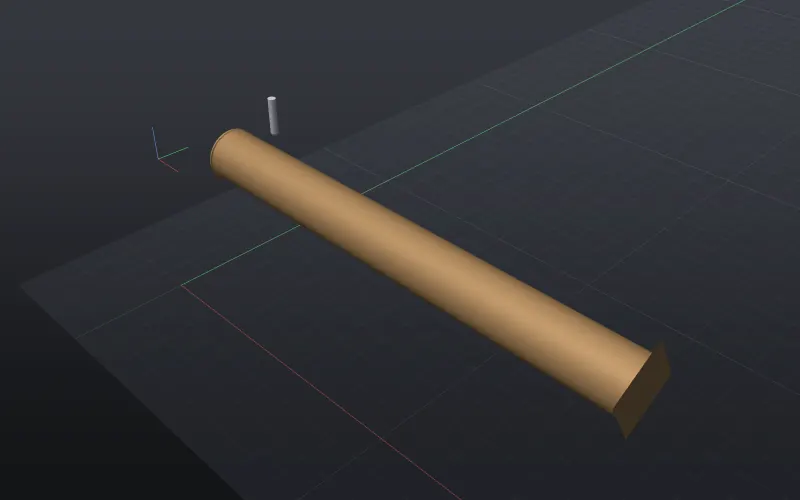
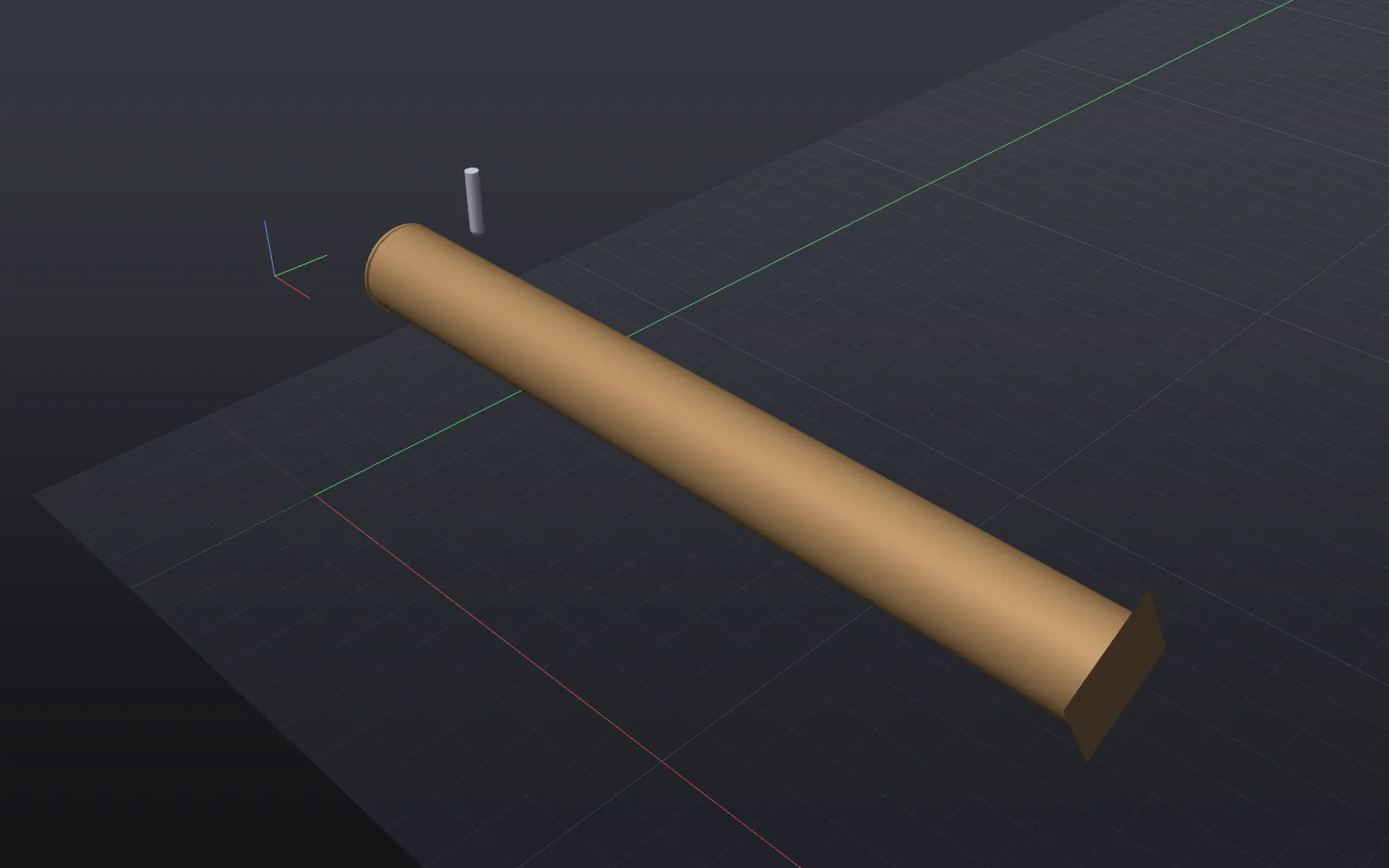
Rounded. The ends stay square where the chuck and tailstock hold it. 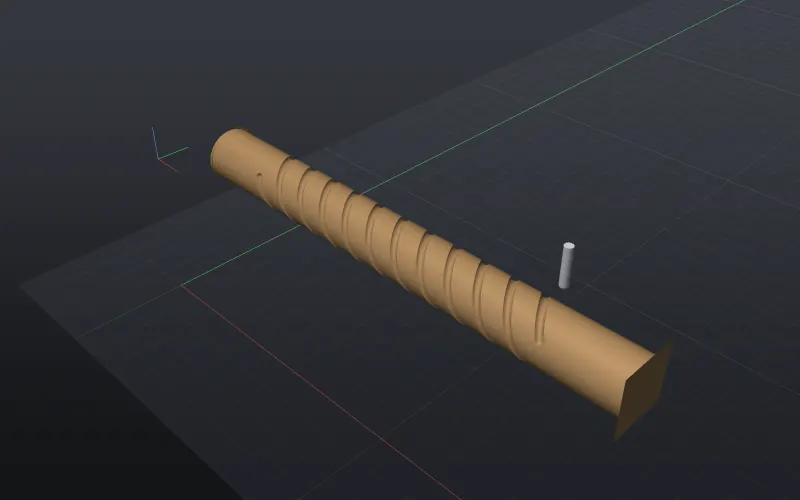
The three-start twist cut around it. -
Export
Press ⌘E. Rounding needs a driven axis on a controller that takes inverse-time feeds: Avid Mach4, LinuxCNC or grblHAL. The layers go on as one long spiral fed in
G93:(Toolpath: Round the bar Tool: T1 1/4in Upcut End Mill) G00 Z1.6250 G00 X0.1250 Y0.0000 G00 A0.000 G00 Z1.5142 G93 G01 Z1.4623 A90.000 F146.2592 G01 Z1.4103 A180.000 F151.5464 ...A rotary program normally turns the blank back to A0 at the end. After more than ten turns it stops on the nearest whole turn instead of winding them all back, and says so at the end of the file. This job turns the bar 793 times:
(A finishes 793 whole turns from where it started, so it doesn't wind back: zero A {Avid: Rotary tab > Zero A} before the next job)
G00 A285480.000
So zero A (on Avid, Rotary tab ▸ Zero A) before the next job. Projects with a rounding toolpath are saved as format 5.
Rounding on faces. Rounding also works on an indexed job: round a square bar first, then cut on faces at index angles. The finished diameter is then the blank's own size, and the job still needs a driven axis for the rounding.