Tutorials › 7
Wrap a design around a blank
In a wrapped job the design sheet is the blank unrolled, and the blank turns while the router cuts. This tutorial makes a two-start rope twist from a spiral, then a rolling pin with V-carved text.
Not verified on a machine yet. Mach4's inverse-time (G93) feeds and which way Avid's rotary turns haven't been tested on a machine. Do the checks in steps 1 and 8 before your first wrapped job, and air-cut it.
-
Check the rotary axis
Set up the axis under Material & Machine ▸ Rotary Axis as in the indexed tutorial: turn on Rotary axis, measure the Centre height, and set the Turn speed. Wrapped jobs need a driven axis, so leave Turn by hand off.
Reversed matters more here. Jog A positive: the top of the blank should roll toward −Y. If it rolls toward +Y, turn on Reversed, or wrapped designs come out mirrored. Checks reminds you of this before the first wrapped cut.
-
Wrap the sheet around the blank
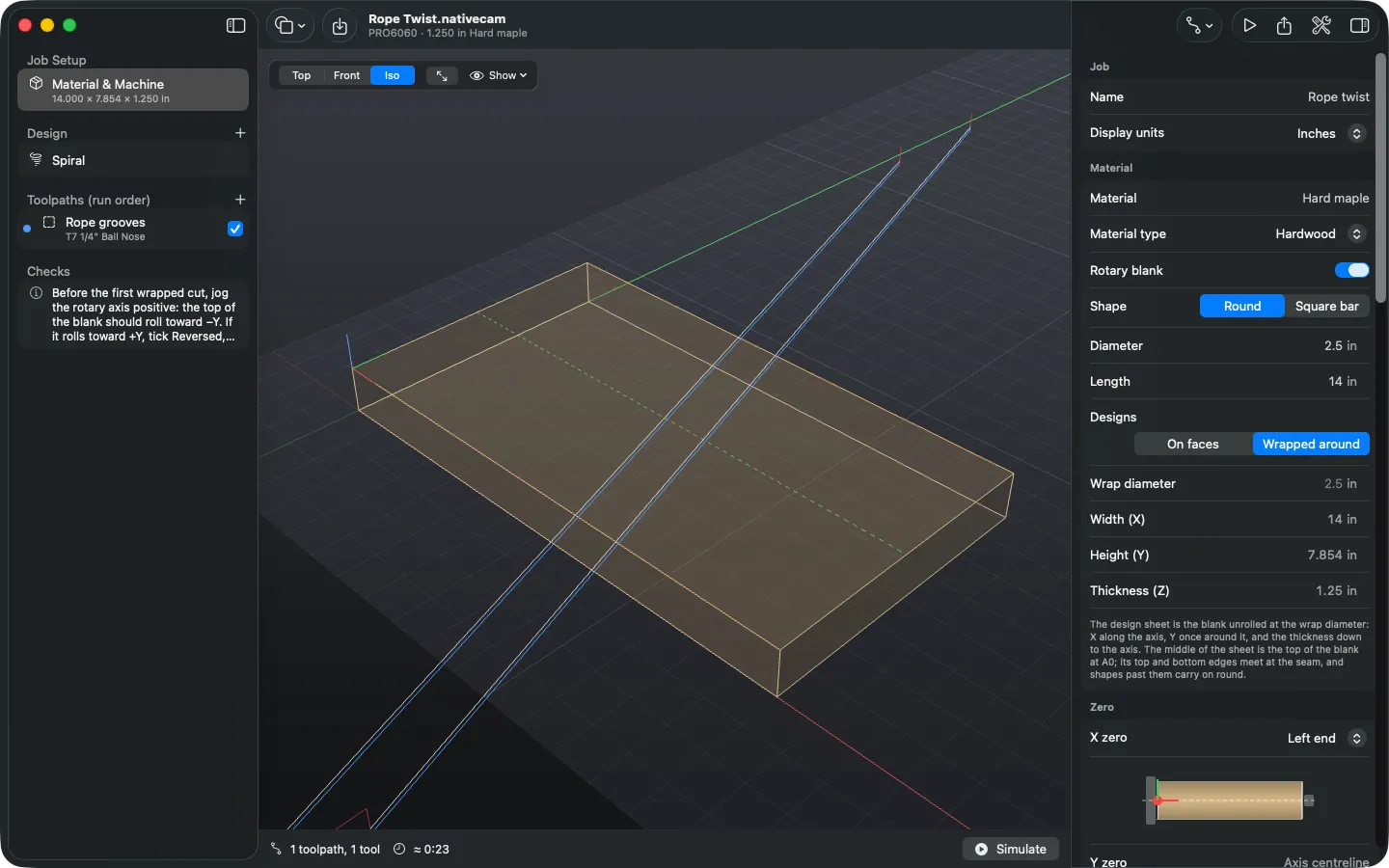
Turn on Material ▸ Rotary blank, choose Round, and enter the diameter and length; here, a 2½ inch maple blank 14 inches long. Under Designs, choose Wrapped around.
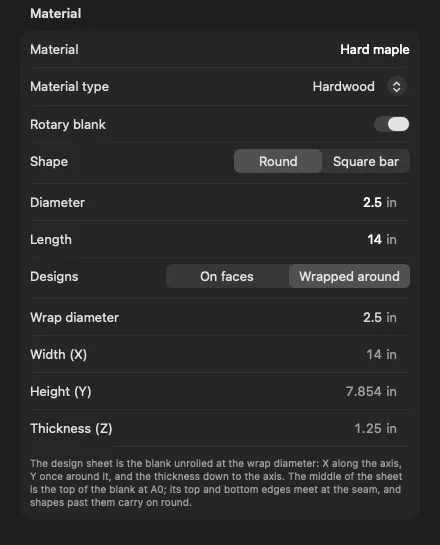
A wrapped blank: the sheet is 14 inches long and π × 2½ inches high. The design sheet becomes the blank unrolled: as wide as the blank is long, and once round it high (π × the diameter). The line across the middle of the sheet, dashed green, is the top of the blank at A0. The sheet's top and bottom edges meet at the seam, marked with dashed orange lines. Designs come out true to size at the Wrap diameter: the blank's diameter, or the finished size if you turn it down first.
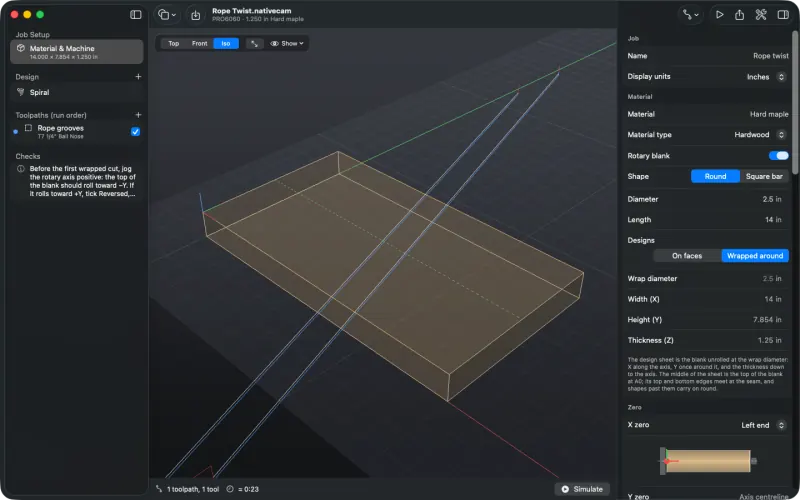
The unrolled sheet. Shapes that run past the seam carry on round the blank. -
Round a square bar first (optional)
To start from a square bar, or to turn a round blank down, choose Add Toolpath ▸ Rounding. It cuts in layers no deeper than the Layer depth down to the Finished diameter, which is the wrap diameter on a wrapped job. Around cuts each layer as a spiral along the blank; Along makes passes parallel to the axis, stepping round between them, which is often quicker on a slow rotary. Start and End set how much of the blank it rounds. Rounding needs no shapes and always runs first. Rounding hasn't been cut on a machine yet. The rounding tutorial goes through it step by step.
-
Add a spiral
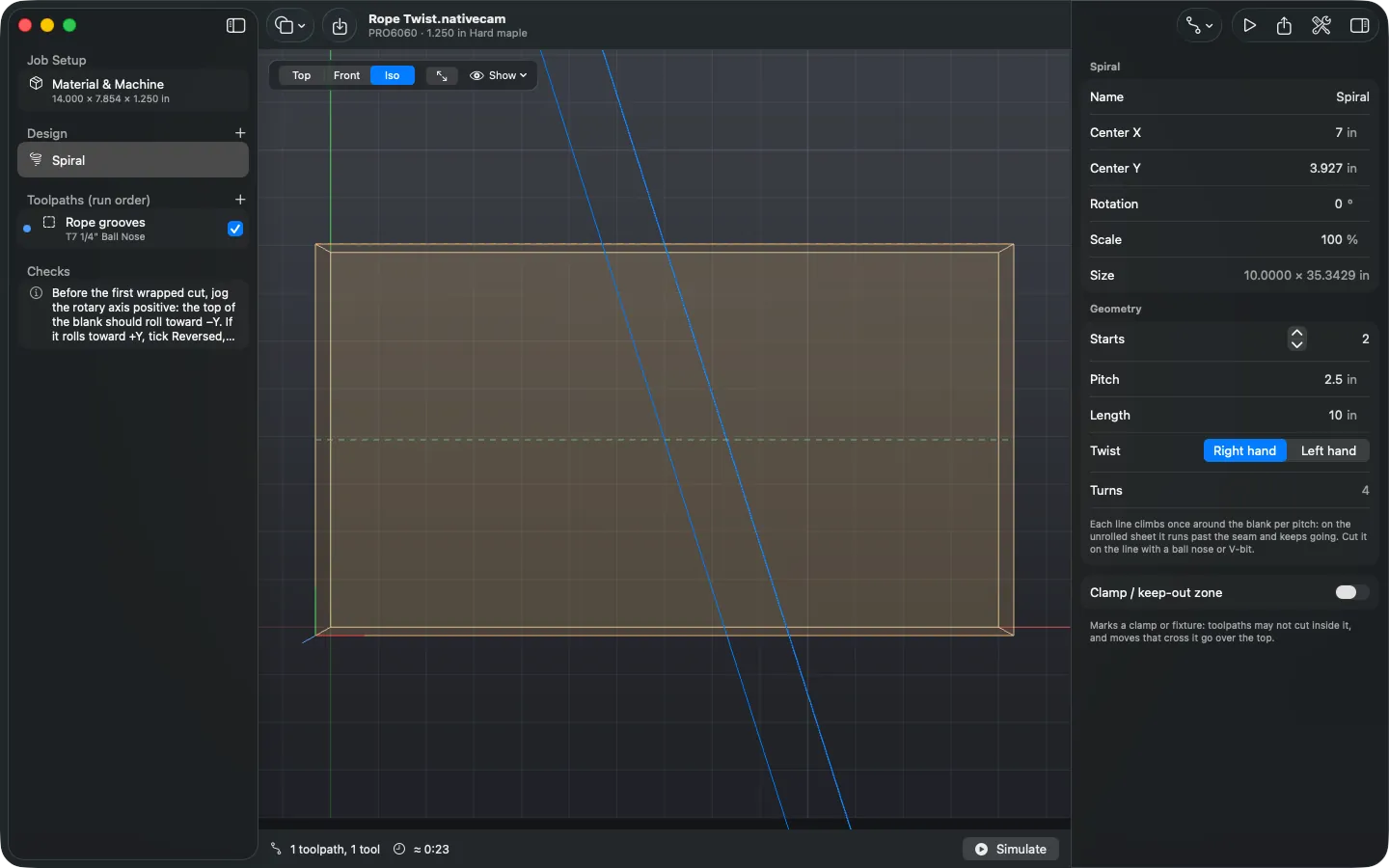
Choose Add Shape ▸ Spiral. A spiral is lines that climb once around the blank for every Pitch along it, with any number of Starts and a right- or left-hand Twist. This one has two starts, a 2½ inch pitch and a 10 inch length, so each line makes four turns.
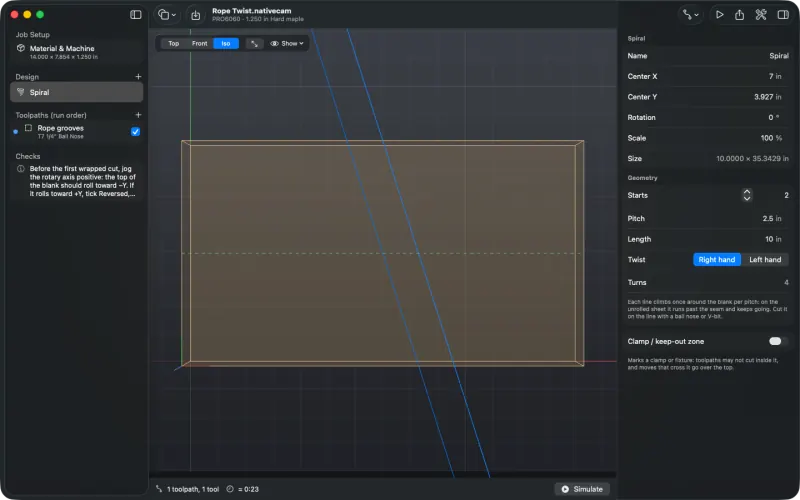
On the unrolled sheet a spiral is a set of straight lines much longer than the sheet is high. Spirals follow the sheet when the wrap diameter changes.
-
Cut it on the line
Select the spiral and add a Profile with Side: On, using a ball nose or V-bit. Here a ¼ inch ball nose cuts 0.12 inch deep.
A wrapped design is exact only at the wrap diameter: deeper in, the same angle spans less. A cut deeper than a tenth of the radius gets a warning in Checks saying how much narrower it comes out at the bottom.
-
Simulate on the turning blank
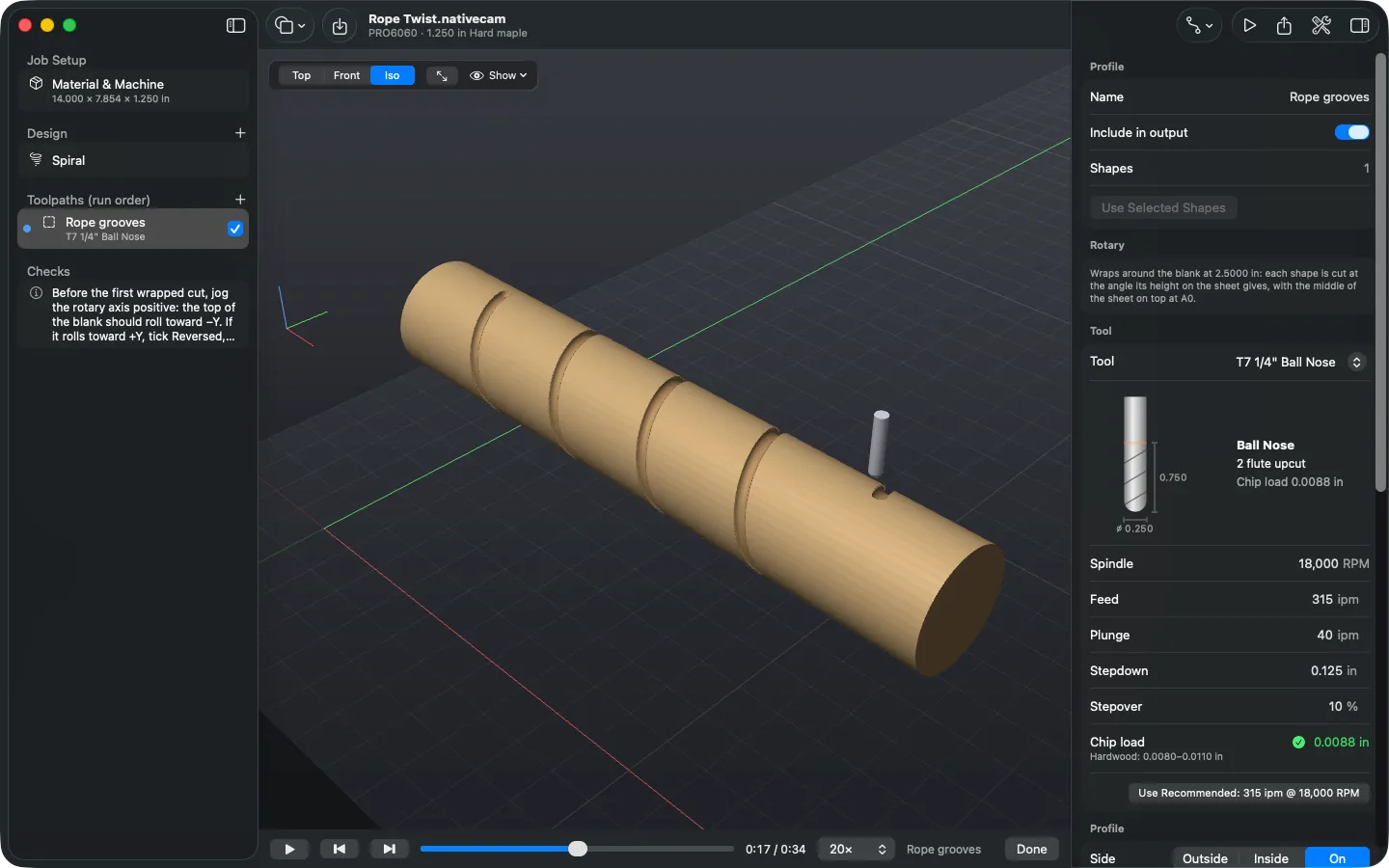
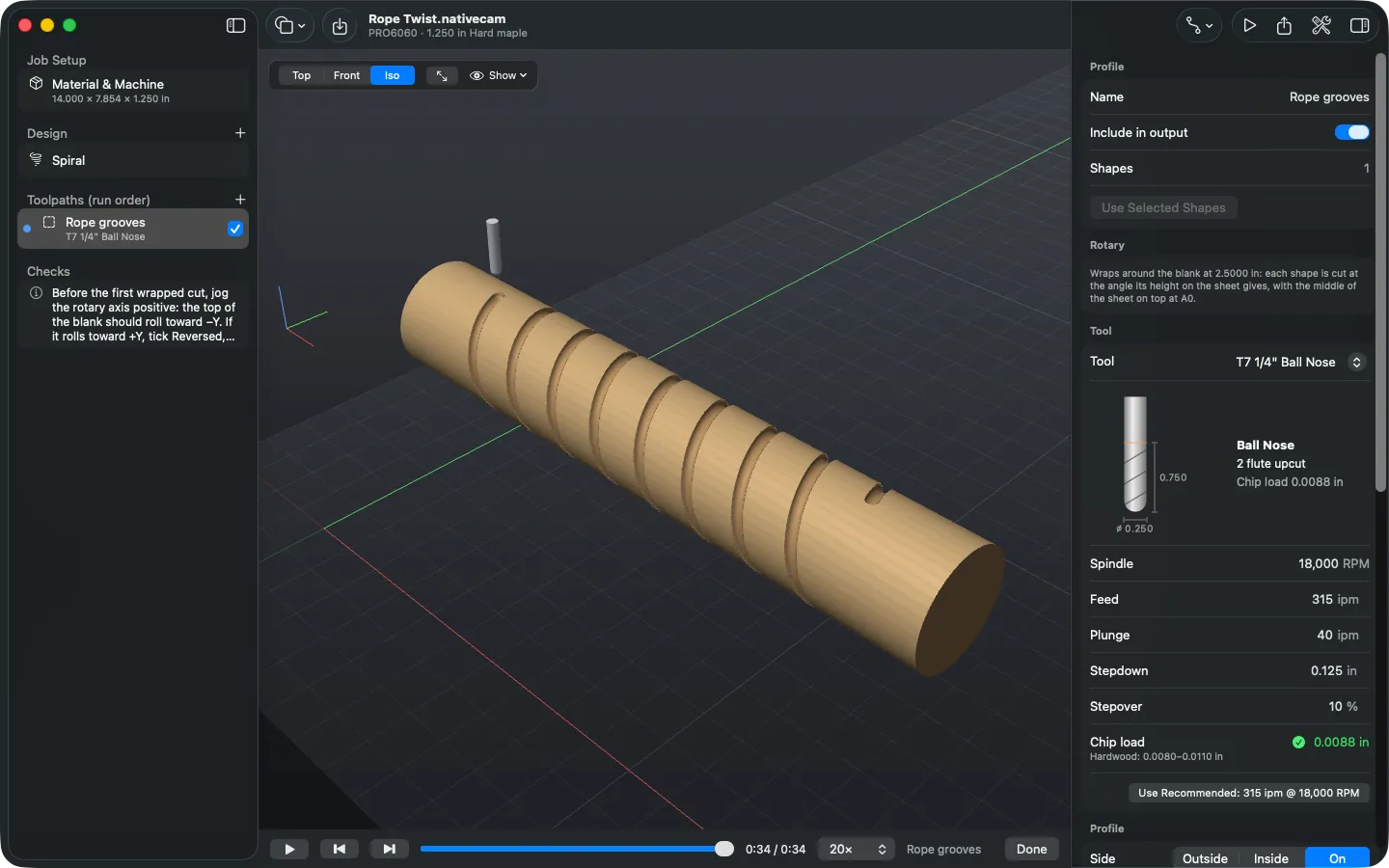
Press ⌘R. The tool stays over the axis and the blank turns under it as it cuts, with the toolpaths wrapped round it. A wall cut straight along the blank (a flute's side) shows very slightly radial in the simulation.
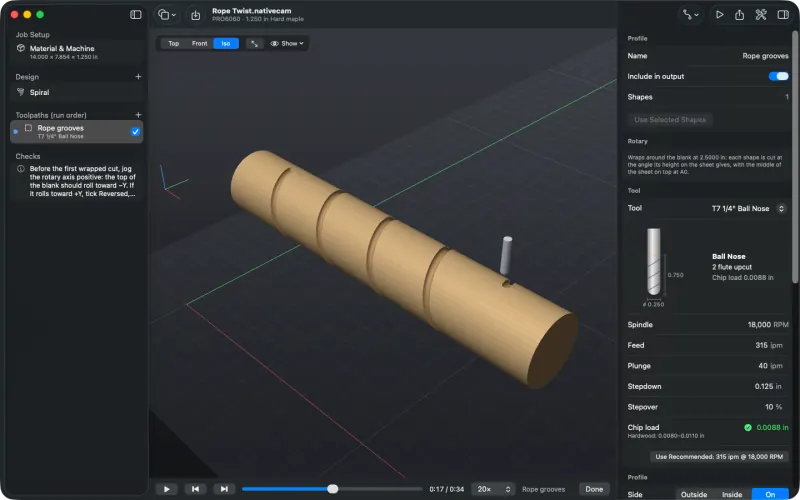
Half way: the first start is cut. 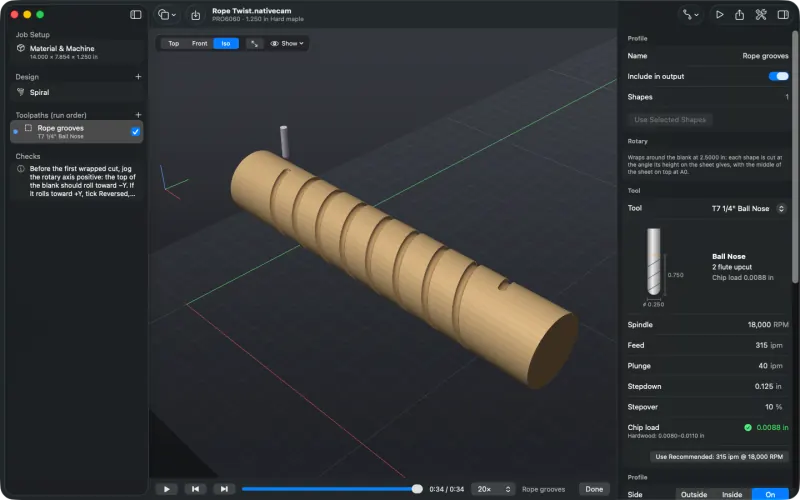
Both starts cut. -
Text around a rolling pin
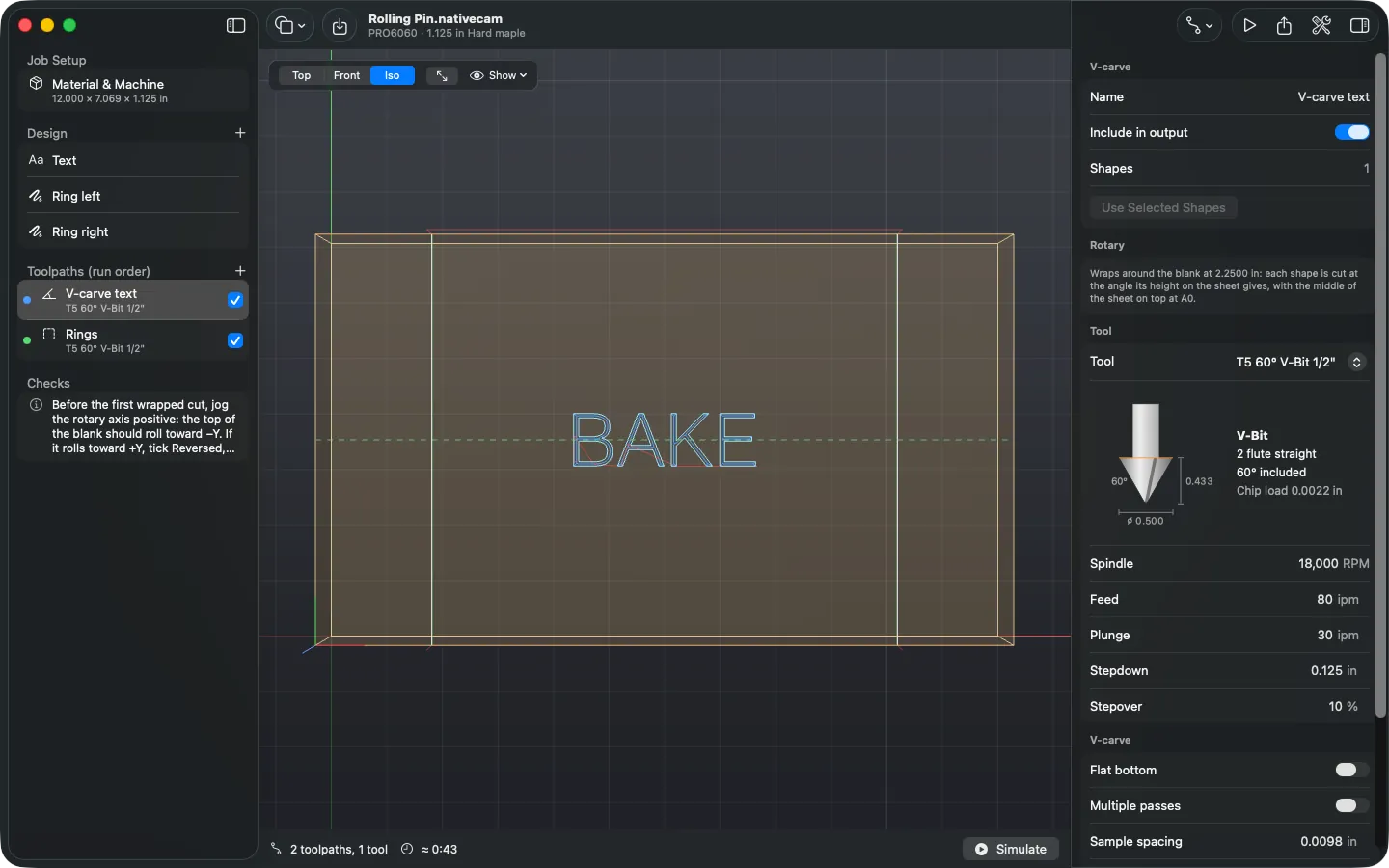
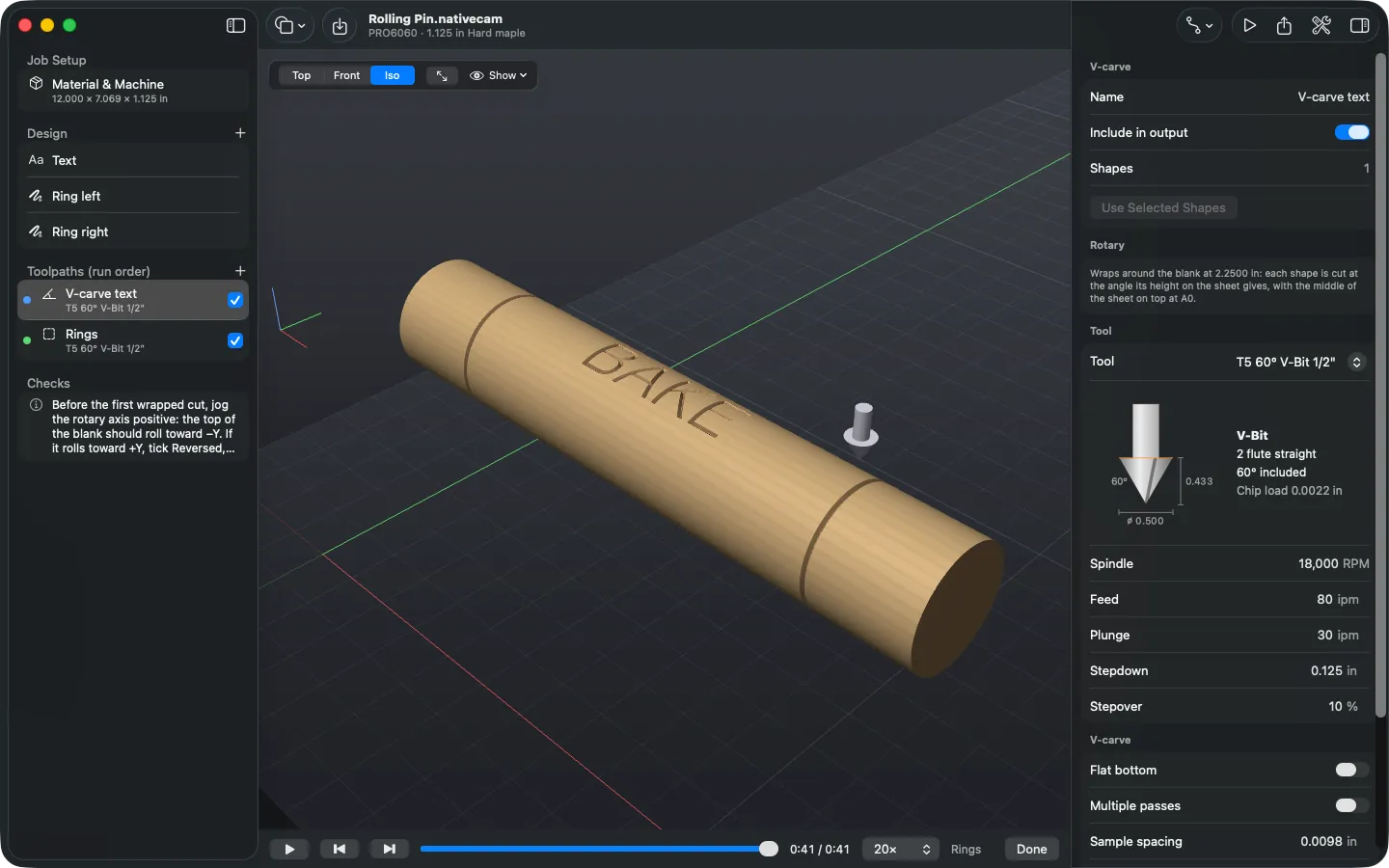
The same layout handles text and patterns. On a 2¼ inch blank, the word BAKE runs along the middle of the sheet and is V-carved with a 60° V-bit; two lines drawn from the bottom edge of the sheet to the top become engraved rings near each end.
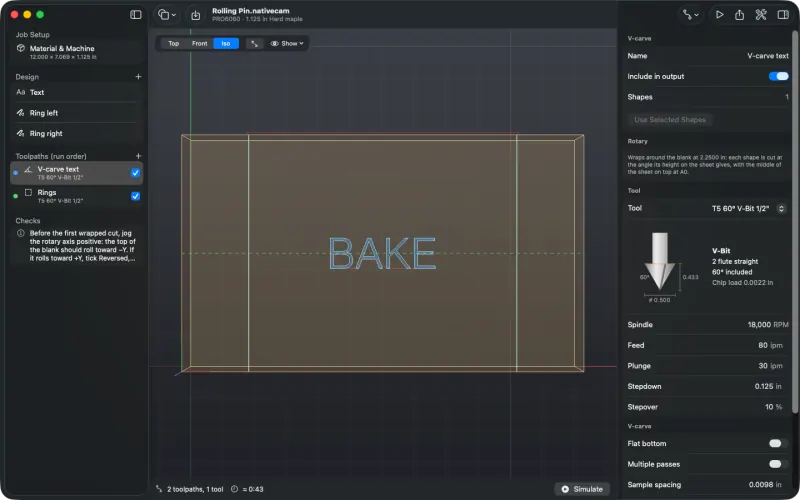
On the sheet: the text, and two seam-to-seam lines that become rings. 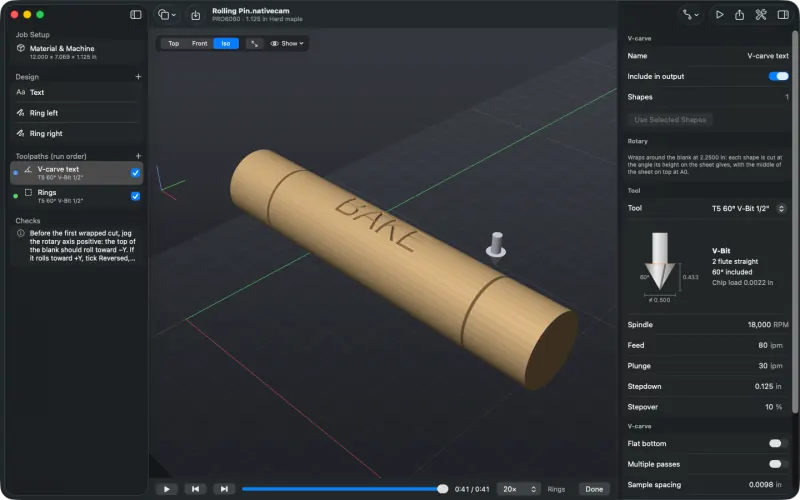
Simulated on the blank. Profile (on the line for engraving), pocket, V-carve and drill toolpaths all wrap. Each shape is cut at the angle its height on the sheet gives, and holes are drilled straight in toward the axis. Pocket walls along the blank point at the axis rather than staying parallel, as with any wrapped pocket.
-
Export, and test G93 first
When the blank turns during a cut, the right feed depends on how far the tool is from the axis. NativeCAM writes those moves in inverse-time mode (
G93): each line's F is one over its time in minutes, worked out from the path the tool tip traces, as Avid's own wrap posts do. Moves that don't turn the blank stay inG94, andG94is back on before every tool change and the program end. Turns of more than 90° are split, so a controller that takes the short way round still turns the right way.(Wrapped: sheet Y wraps around D=2.5000, A = Y x 360 / {pi x D}, A0 = middle of the sheet) (Feeds: G93 inverse time on moves that turn A, G94 otherwise) ... G00 A900.000 G00 Z1.3500 G01 Z1.1300 F40.0 G93 G01 X2.6250 A810.000 F167.3911 G01 X3.2500 A720.000 F167.3911 G01 X3.8750 A630.000 F167.3911 ... G00 Z1.7500 G94Wrapped jobs post for Avid Mach4, LinuxCNC and grblHAL. Centroid and Buildbotics can't cut them yet, because their rotary feeds aren't documented and they don't take
G93. The program turns the blank back to A0 at the end; after more than ten turns (a long rounding pass) it stops on the nearest whole turn instead and says so at the end of the file, so zero A (on Avid, Rotary tab ▸ Zero A) before the next job. Wrapped projects are saved as format 5.Test G93 on Mach4 first. With the tool raised and no blank in the chuck, run
G21 G90, thenG93 G01 A360 F10, thenG94from MDI. The turn should take exactly 6 seconds. Then air-cut the job with the blank in place.