
Tutorials › 4
Tapping and boring cycles in imported G-code
NativeCAM simulates and times tapping and boring cycles in G-code from other programs, read the way your project's controller runs them. This tutorial simulates a short Mach4 file with a tap and a fine bore, then shows what changes on LinuxCNC and grblHAL.
Simulation only. Each controller's cycles follow its manual and haven't been compared with a real controller, and the times allowed for the spindle reversing and orienting are estimates. Whether your machine can run these cycles is a separate question: a tap needs the spindle to reverse at the bottom of the hole, and a fine bore needs it to stop at a set angle (orient). On a machine that can't orient its spindle, Mach4 stops for you to do it by hand. Air-cut the file first.
-
The file
This hand-written file is in inches, with zero at the lower-left corner of the plate's top. T2 drills four ⅛ inch pilots and one in the centre with
G81. T1 taps the four withG84: the feed is the thread pitch times the speed, 1⁄20 inch × 500 RPM = 25 in/min. T3 fine-bores the centre hole withG76, shifting 0.005 inch off the wall (Q) before it rapids out.(T1 stands in for a 1/4-20 tap: 20 threads per inch at 500 RPM = 25 in/min) T1 M6 S500 M3 G0 X1.0 Y1.0 G84 X1.0 Y1.0 Z-0.4 R0.1 F25 X5.0 Y1.0 X5.0 Y3.0 X1.0 Y3.0 G80 ... (T3 stands in for a boring bar: fine bore the centre hole) T3 M6 S3000 M3 G0 X3.0 Y2.0 G76 X3.0 Y2.0 Z-0.55 R0.1 Q0.005 P0.5 F5 G80The whole file is 38 lines; save it as
tap-bore-plate.tapto follow along.NativeCAM has no tap or boring bar in its tool library. It carves each tool number with the bit of that number in your library, so add one with the diameter the tool cuts. Here T1 and T3 are the starter library's ¼ inch end mills, so the taps show at a ¼-20 tap's full width and the bore at ¼ inch.
-
Simulate it as Mach4 runs it
Start a new project and set the material to 6 × 4 × ½ inches. New projects use Avid's PRO6060 with Mach4, which runs all five cycles. Choose File ▸ Simulate G-code File… and open the file.
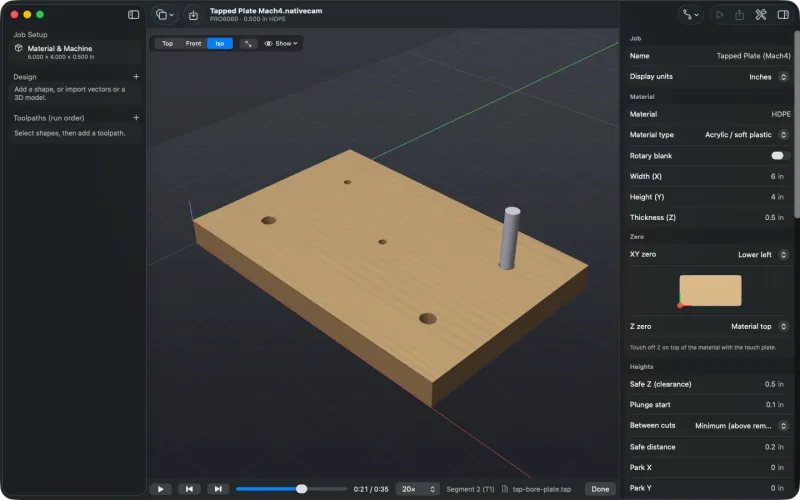
Part way through the taps: two holes are tapped, the third is under way, and the rest are still pilots. - Tapping (
G84, orG74for a left-hand tap): feed down to Z, reverse the spindle at the bottom, dwell for anyP, and feed back out at the same feed to R, then rapid to the starting height underG98. - Fine boring (
G76): feed to Z, dwell, orient the spindle, shift off the wall byQ(or byIandJ), rapid out, and shift back at the top. - Back boring (
G87) and boring with a stop to retract by hand (G88) are expanded for Mach4 too. A back bore cuts under the material, which the simulation can't show, so it's carved as a hole right through, the width of the tool. A back-boring bar rapiding down through its drilled hole isn't flagged as a rapid through material.
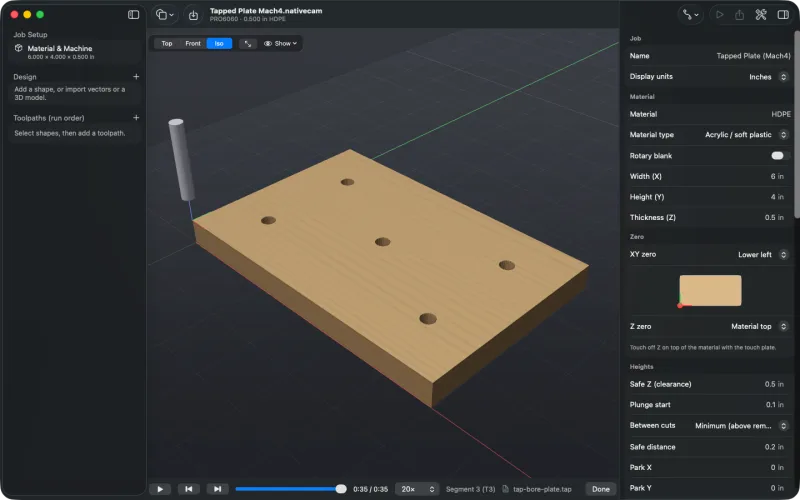
Finished: four tapped holes and the bored centre hole. - Tapping (
-
Read the run time
The timeline shows the whole file at 0:35, with the feeds in and out of each hole and these allowances, since no manual gives a time for them:
- 0.5 seconds for the spindle to reverse at the bottom of each tap;
- 0.5 seconds for each spindle orient in
G76andG87; - 10 seconds for each
G88stop to retract by hand; - plus any
Pdwell the file asks for (0.5 seconds on the bore here).
Taps are cut in one pass. None of these controllers documents peck tapping, so a
Qword on a tap isn't read as a peck depth, and the notes say so: “Line 22: tapping cycles are simulated in one pass; the Q word isn't read as a peck depth.” -
Switch the controller
The same letters mean different things to different controllers, so NativeCAM reads the cycles the way the project's controller runs them. Change the machine to one running LinuxCNC with Set Up a Machine… (tutorial) and simulate the file again. LinuxCNC taps, feeding all the way back out to the retract height, but its
G76is a lathe threading cycle, so the bore is skipped and the centre hole stays a pilot. The file now takes 0:30.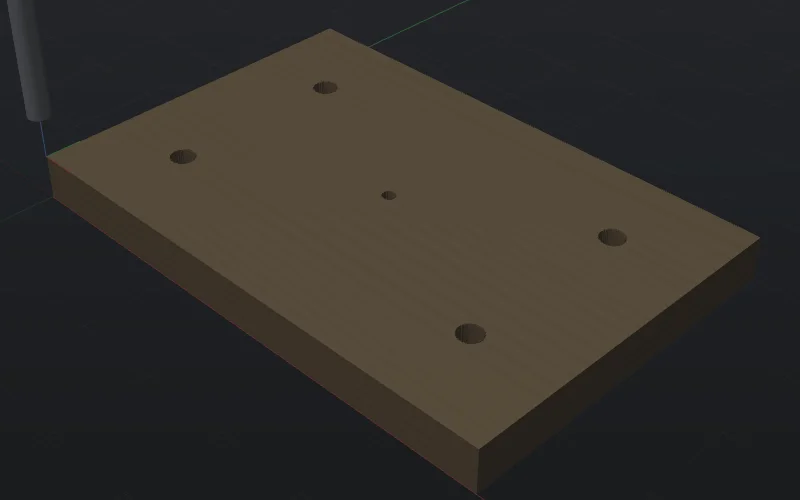
LinuxCNC: taps, but no bore (0:30). 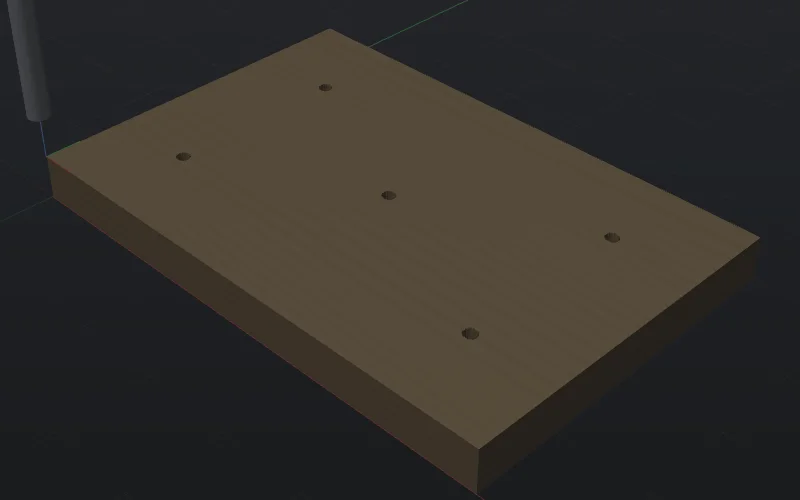
grblHAL: both cycles skipped (0:14). Each skipped cycle gets a line in the G-code notes, naming the controller and the reason:
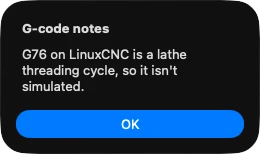
LinuxCNC's note. 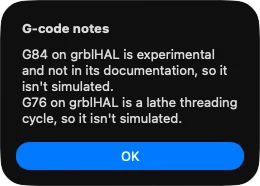
grblHAL's notes. On grblHAL both are skipped and only the pilots show (0:14). The Controllers page lists which cycles each controller's file is simulated with.
-
From the command line
nativecam-cli simreads the cycles as Avid Mach4 runs them:$ nativecam-cli sim tap-bore-plate.tap --png plate.png Simulated 57 steps on a 1826x1370 grid (0.33 mm cells) in 0.00s Removed 1.8 cm³ of material; job time 0:00:35 Wrote plate.pngSee
simfor its options.

